Materials
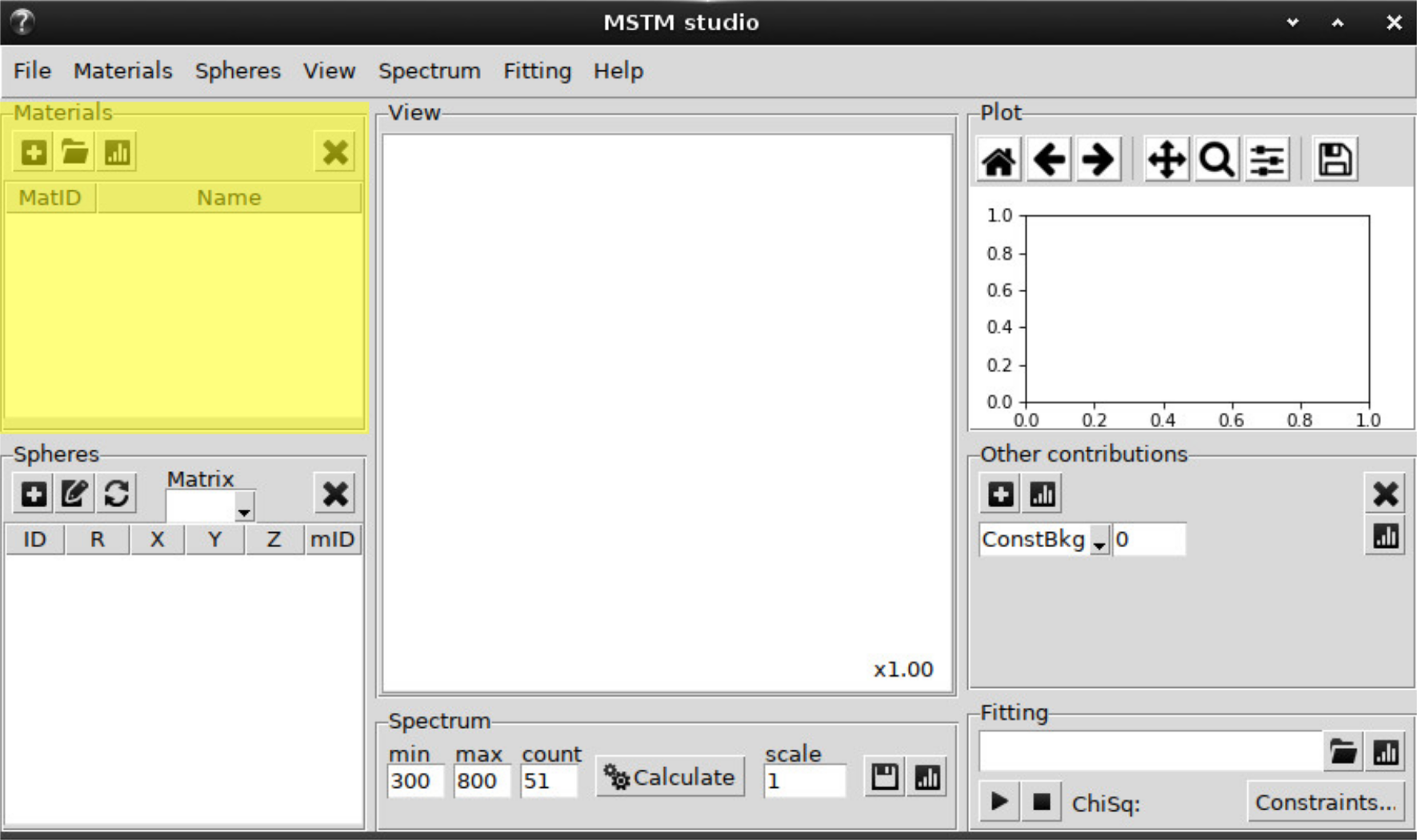
Material can be added from the predefined list:
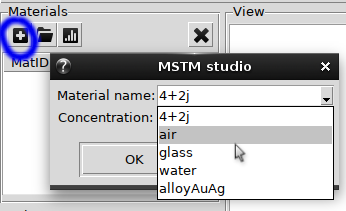
Also the complex number can be typed in here.
The option AlloyAuAg correspond to analytical parametrixation for silver-gold alloys [Rioux2014] and requires the specification of Au ratio (\(0 \le x \le 1\)).
Next button will add material from file with refractive index data stored in column format, i.e.:
lambda      n       k
 0.100      2.8883  1.3062
 0.101      2.8735  1.2439
 0.101      2.8564  1.1856
 ...
First column – wavelength in nm or mum, second and third – real and imaginary parts of refractive index.
The refractive index data can be plotted to check sanity:
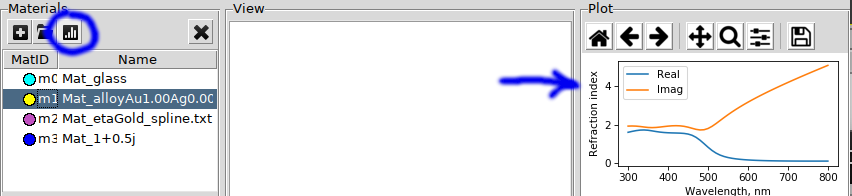
Cross button deletes the selected material.
Materials from RefractiveIndex.Info
The materials can be loaded from the zip-archive of the RII database <https://refractiveindex.info/>. The archive can be downloaded from the website (in About section, `direct link<https://refractiveindex.info/download/database/rii-database-2024-12-31.zip>`_).
To link graphical interface with zip-archive:
1. Select window menu Materials -> Select RII database. 1. The archive will be searched in standart pathes with mask rii-database-*.zip. Click yes to use autofound file. Otherwise - select downloaded archive in file tree. 1. After that the filtration of database will be prompted. Click yes to perform it (requires < 5 minutes). After that only suitable for optical calculation materials will remain. Note, that in the case if only real part of refraction index is specified, the imaginary one is set to zero. 1. Select the material (shelf, book and page in RII notation) from the menu Materials -> Add RII material.
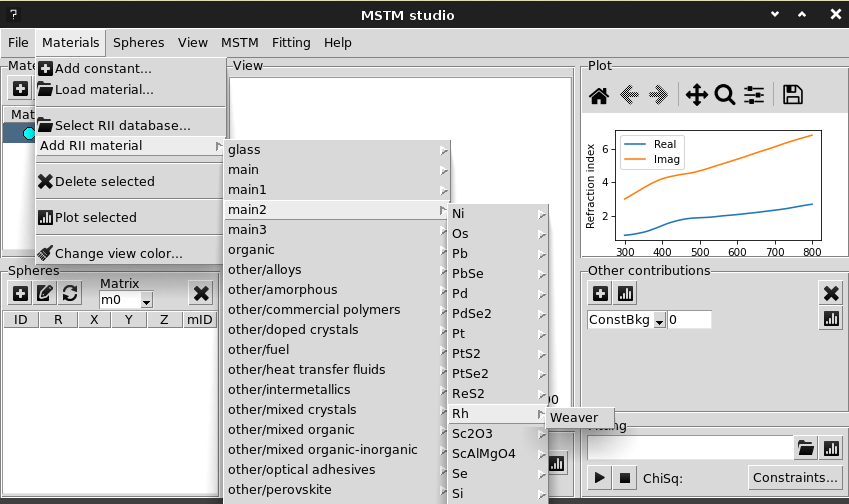
The specified material should appear in the materials list.
Alternatively, any material data can be downloaded from the website, but manual preparation of tabular file (wavelengths in nm, n and k columns) will be required.